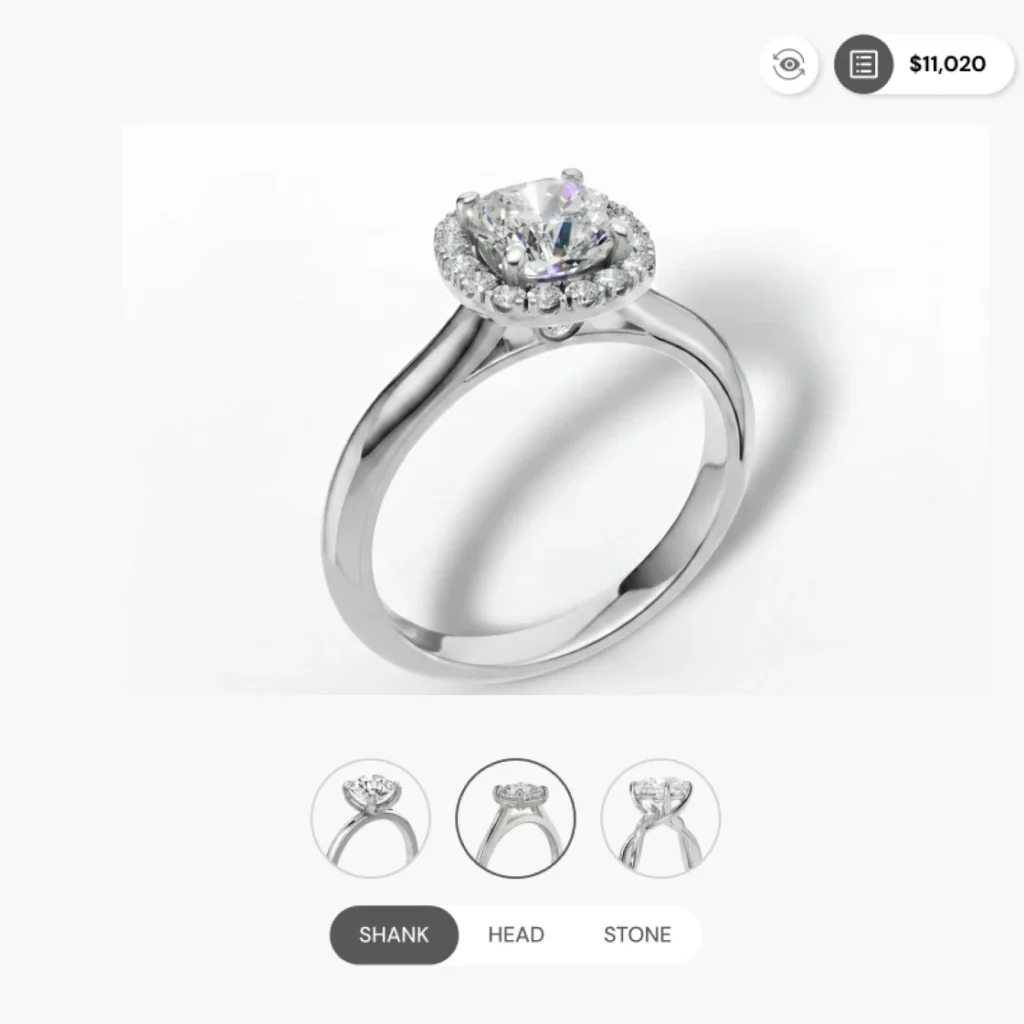
3D Jewelry Configurator
3D jewelry configurator is a B2B SaaS product enabling global jewelry brands to offer hyper-realistic, real-time 3D customization that boosts buyer confidence, with live pricing and seamless e-commerce integration.
The Problem & Challenges
- Difficulty Visualizing Product: Online shoppers could not see a realistic, real-time 3D view of rings, creating a significant gap between the digital experience and the physical reality of jewelry shopping.
Overwhelming product complexity: Managing over 100 possible ring configurations made it difficult to design a user interface that felt simple and intuitive rather than cluttered.
Technical performance bottlenecks: High-fidelity 3D models initially caused slow loading times, which risked frustrating users and increasing website abandonment rates.
Mobile screen limitations: Fitting complex customization tools and high-quality visuals into a small mobile layout without compromising usability was a significant design hurdle.
Technical implementation hurdles: The design team had to quickly master 3D modeling and coding standards to ensure the creative vision could be accurately translated by the development team.
My Role:
Space:
The Solution
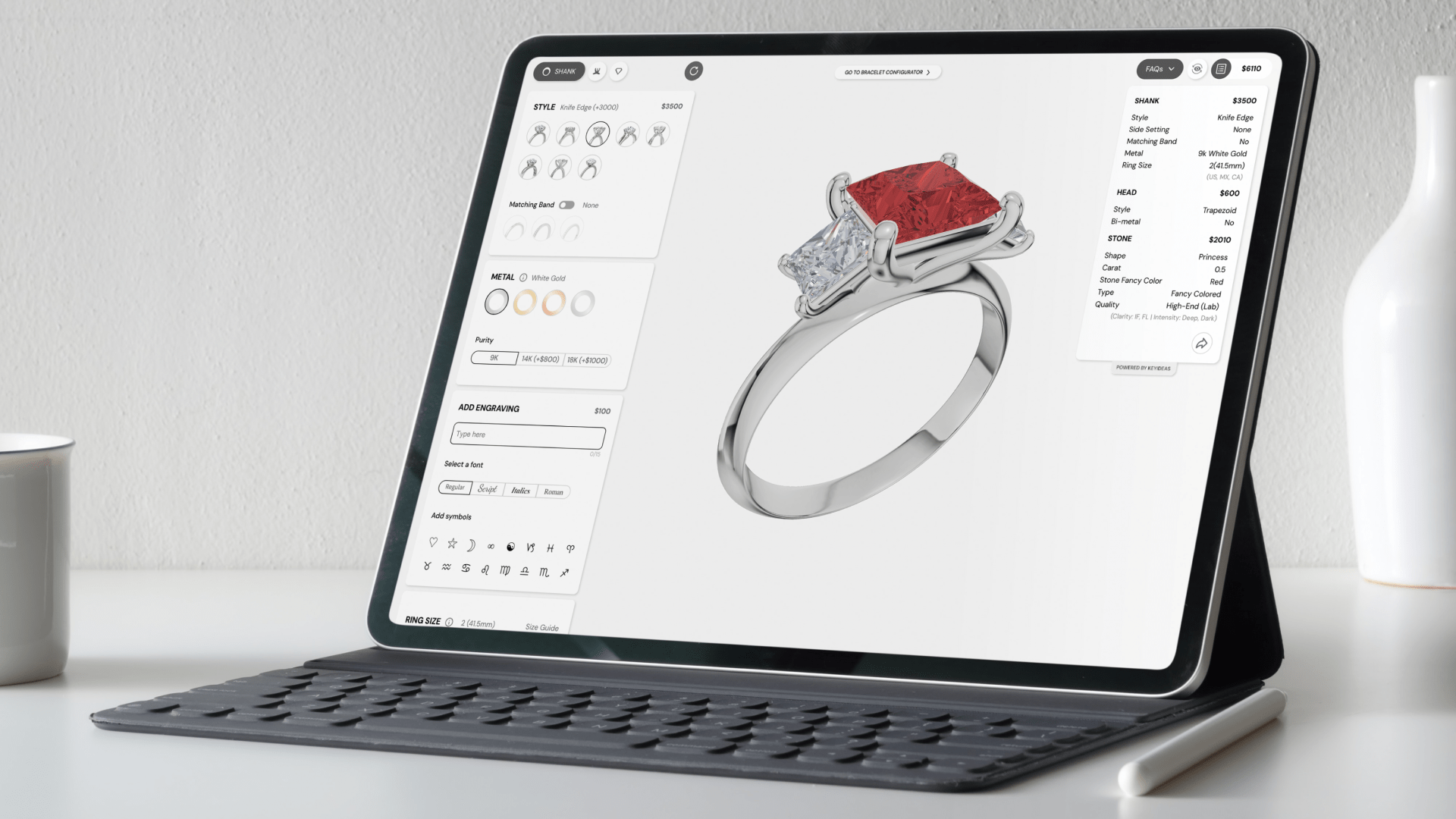
Integrated 3D configurator: I built an interactive tool that allows customers to build and visualize their jewelry in real-time, bridging the gap between online browsing and physical shopping.
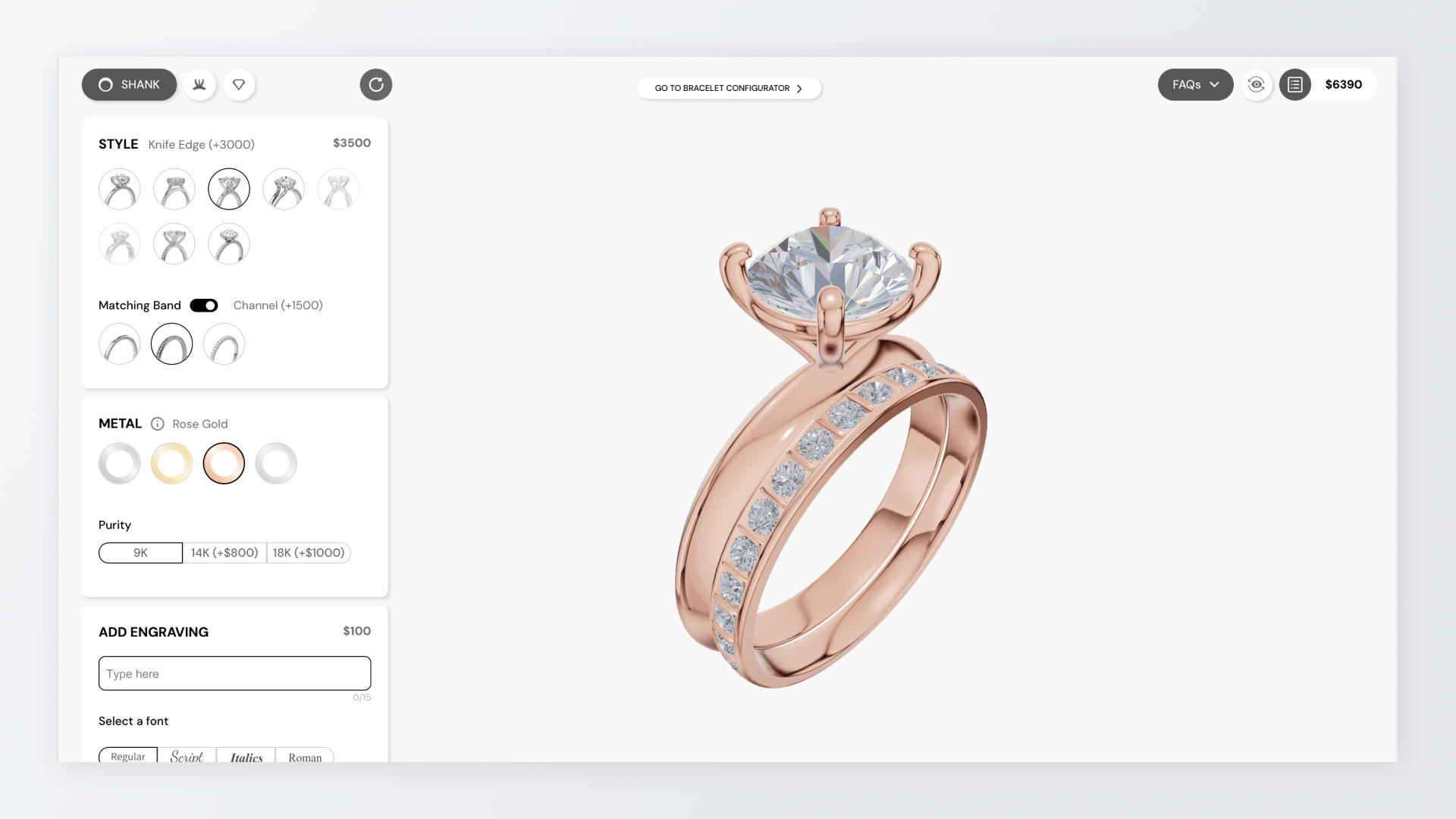
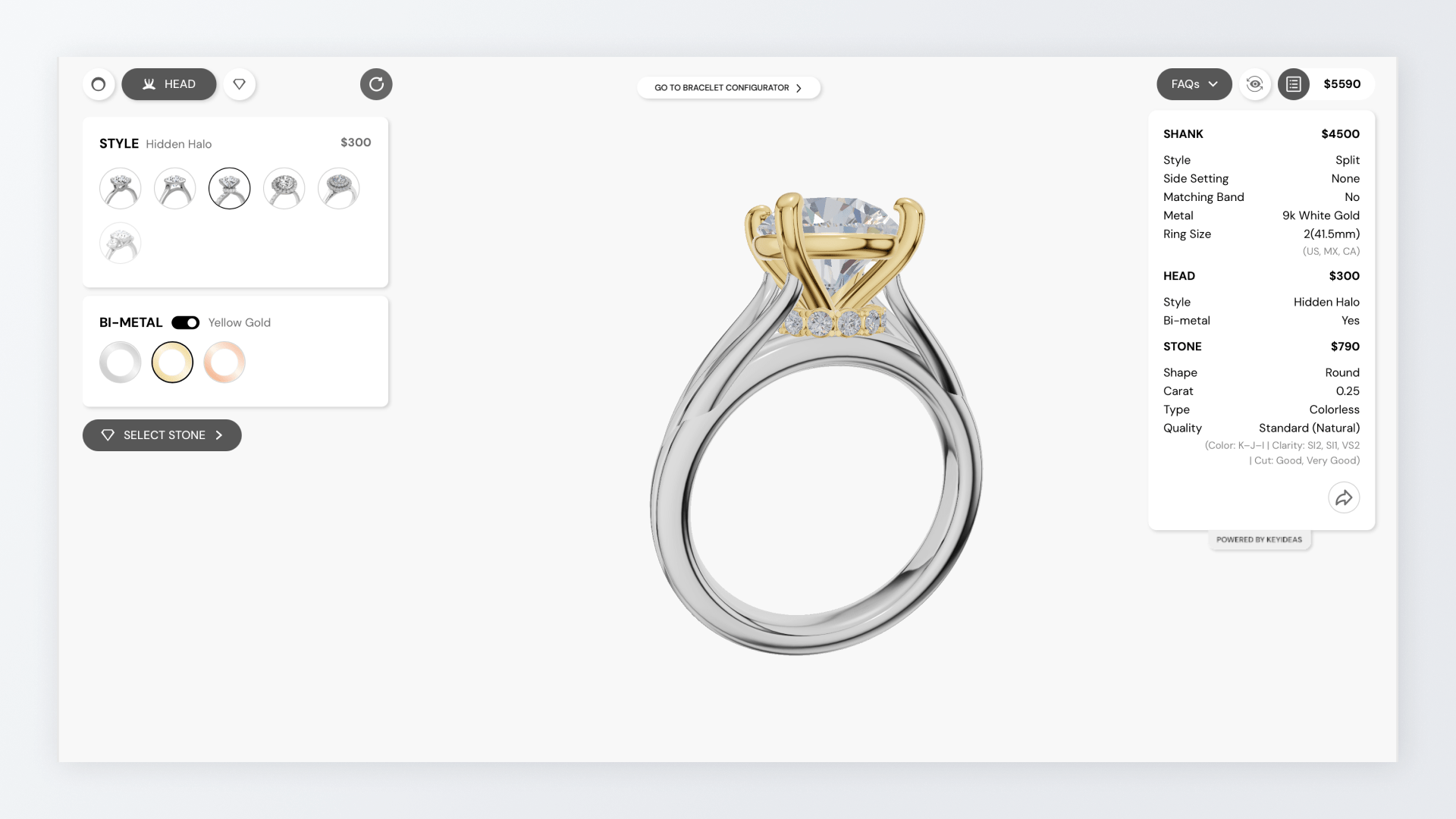
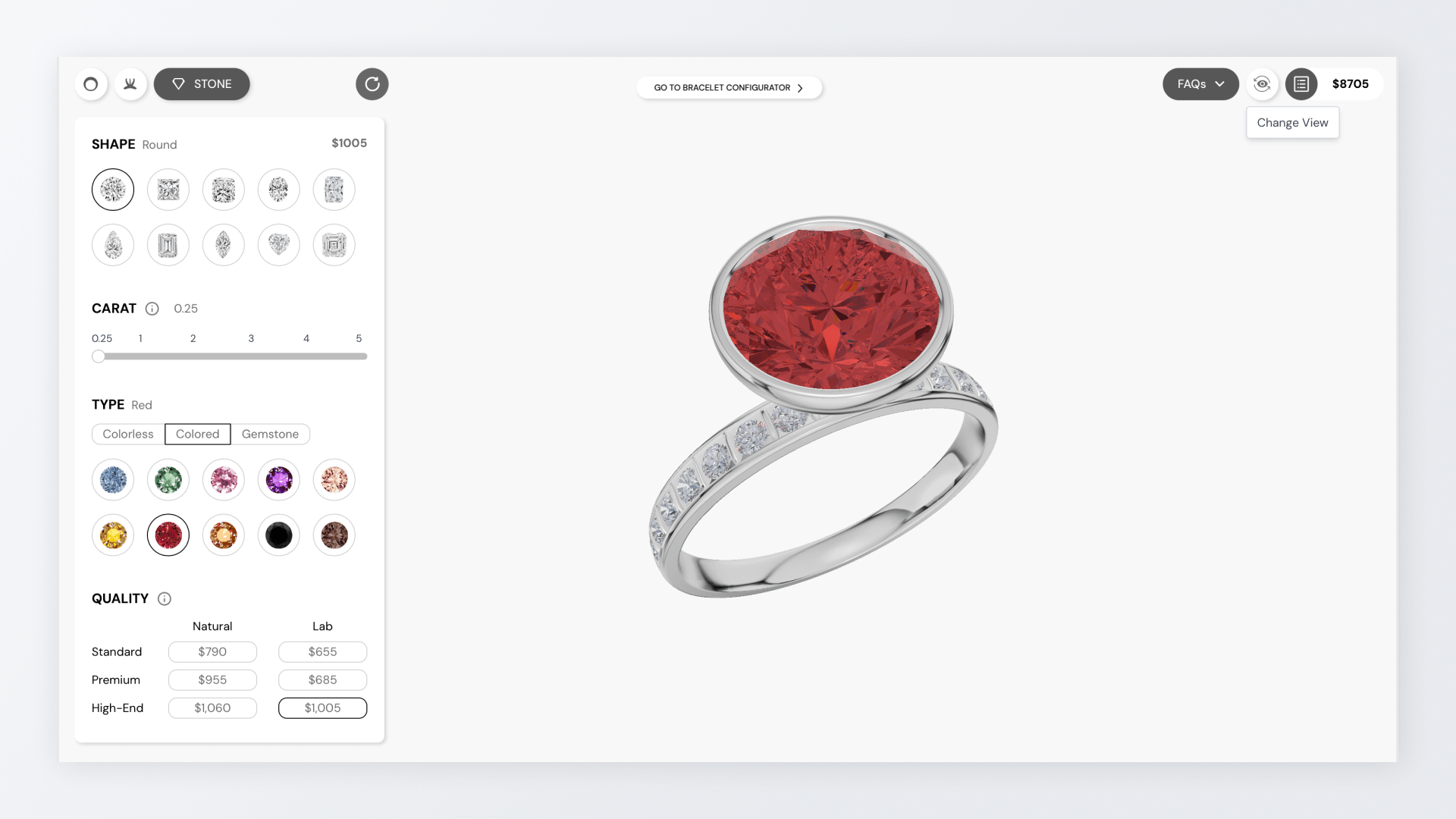
Simplified part-based navigation: The interface was organized into logical categories—Head, Shank, and Stone—to help users navigate complex configurations with ease.
Live pricing and status updates: I integrated a real-time price estimator so users could see the immediate financial impact of every design choice they made.
Direct-to-manufacturer output: The system generates precise 3D data from the user’s custom design, ensuring the final physical product matches the customer’s digital creation exactly.
Scalable business framework: The tool was designed as a flexible module that can be easily adapted to different jewelry brands’ unique styles, inventories, and global languages.
Design Process Behind the Configurator
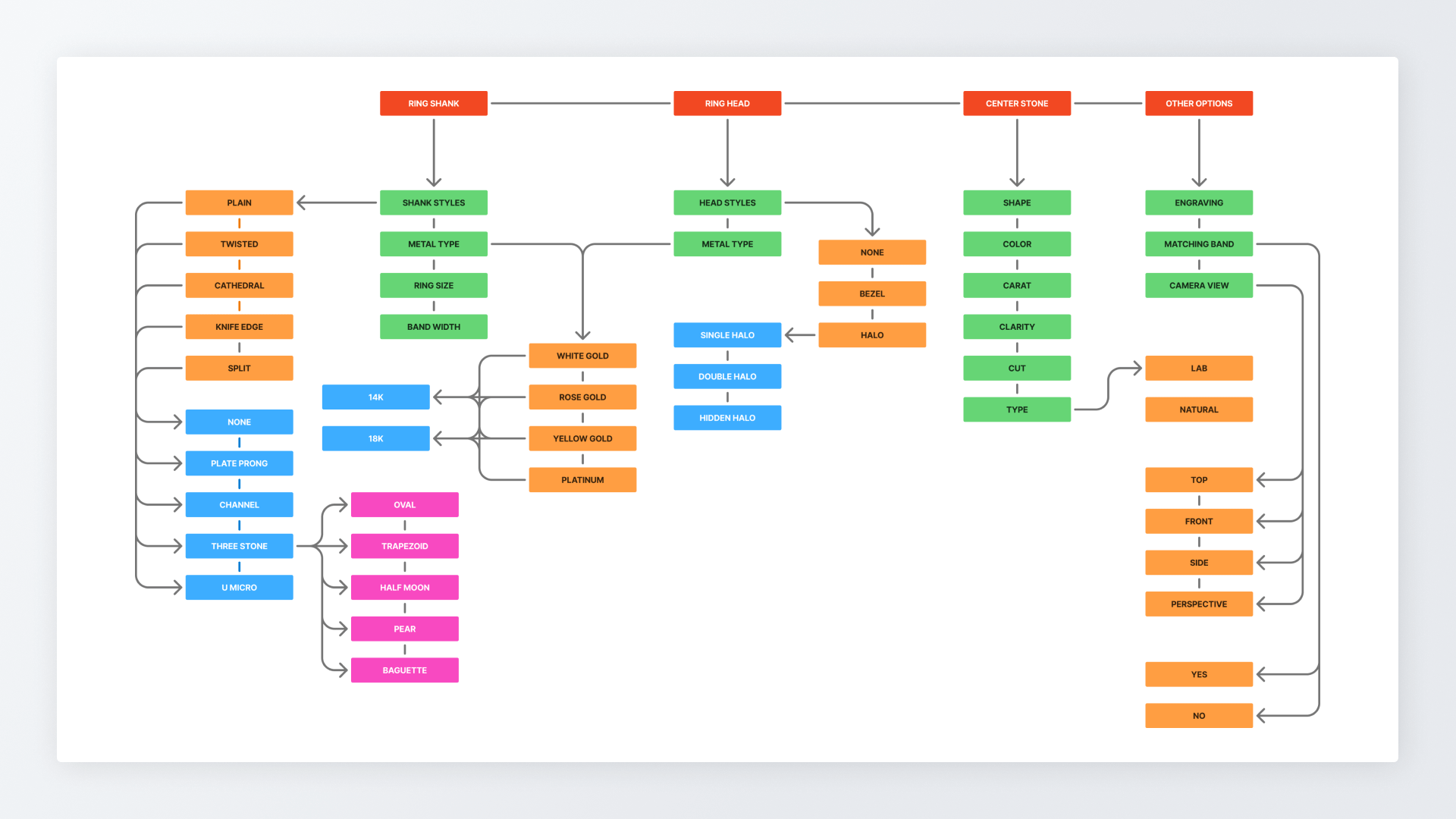
Information architecture: Structured the product around how rings are physically composed, creating a clear system that defined options upfront.
Configuration logic definition: Established clear rules for which options could and could not be combined, reducing errors and avoiding confusion.
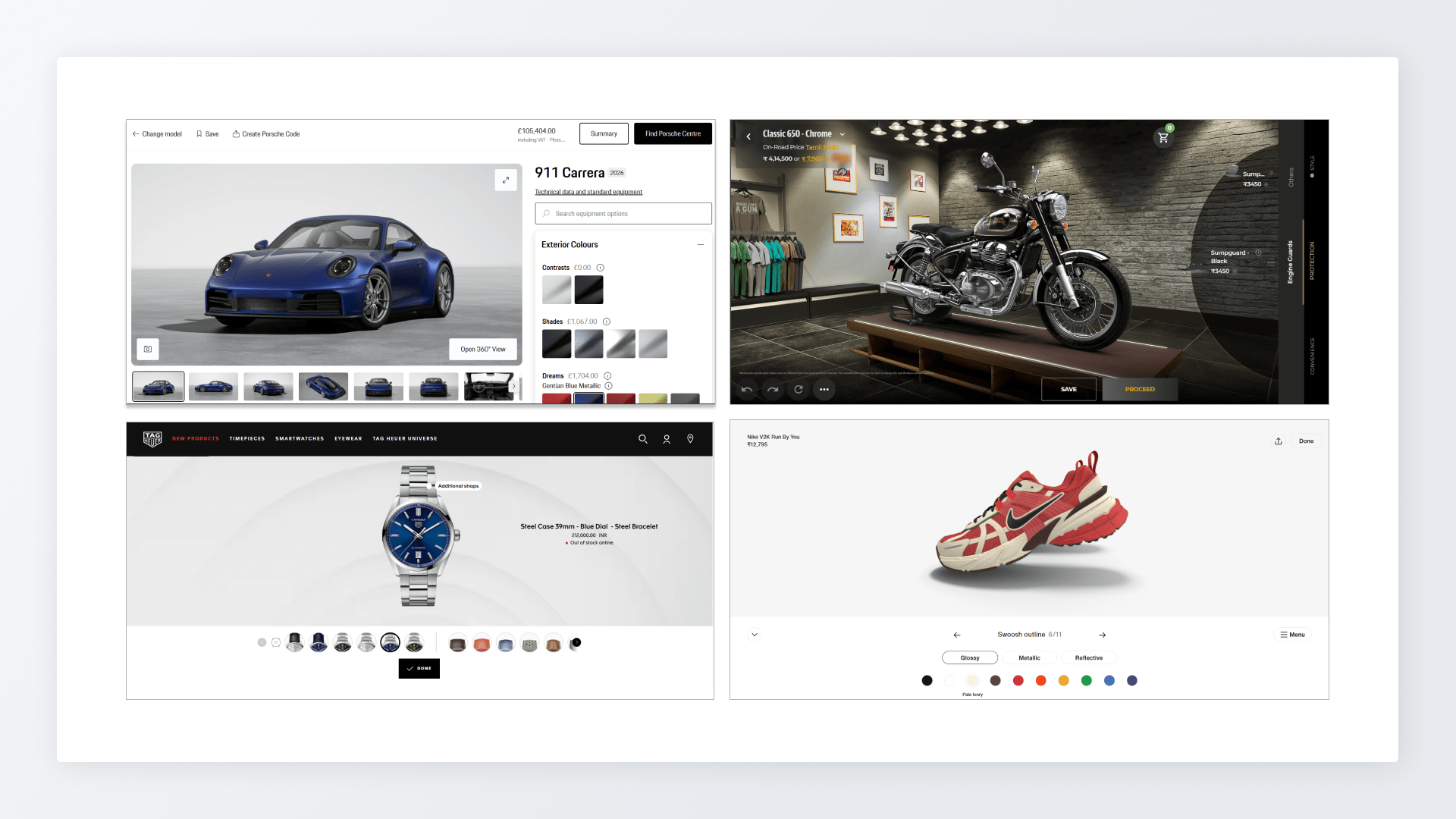
Competitor and cross-industry analysis: Studied mature configurators from industries where customization is standard to understand proven patterns.
Decision-focused interaction design: Prioritized clarity in steps and pricing visibility so users can understand the impact of each choice as they made it.
Simplification for jewelry context: Adapted complex configuration models into a calmer, more focused experience for confident decision-making.
Designing the Real-Time 3D Ring Customization Experience
Clear step-by-step flow: Structured the experience into logical stages (band, head, & stone) so users focus on one decision at a time.
Reduced decision fatigue: Progressively revealed options based on earlier choices, making the process approachable for first-time buyers.
Guided complex choices: Grouped the most complicated decisions into a structured flow, showing only relevant options to avoid confusion.
Real-time visual feedback: Updated the 3D ring model instantly with every change so users can see the impact without guessing.
Consistent experience across steps: Kept navigation and layout familiar throughout the process so users never felt like they were switching tools.
Simplified diamond understanding: Translated technical diamond details into clear, understandable choices, helping user decisions without experts.
Mobile First Interaction Model
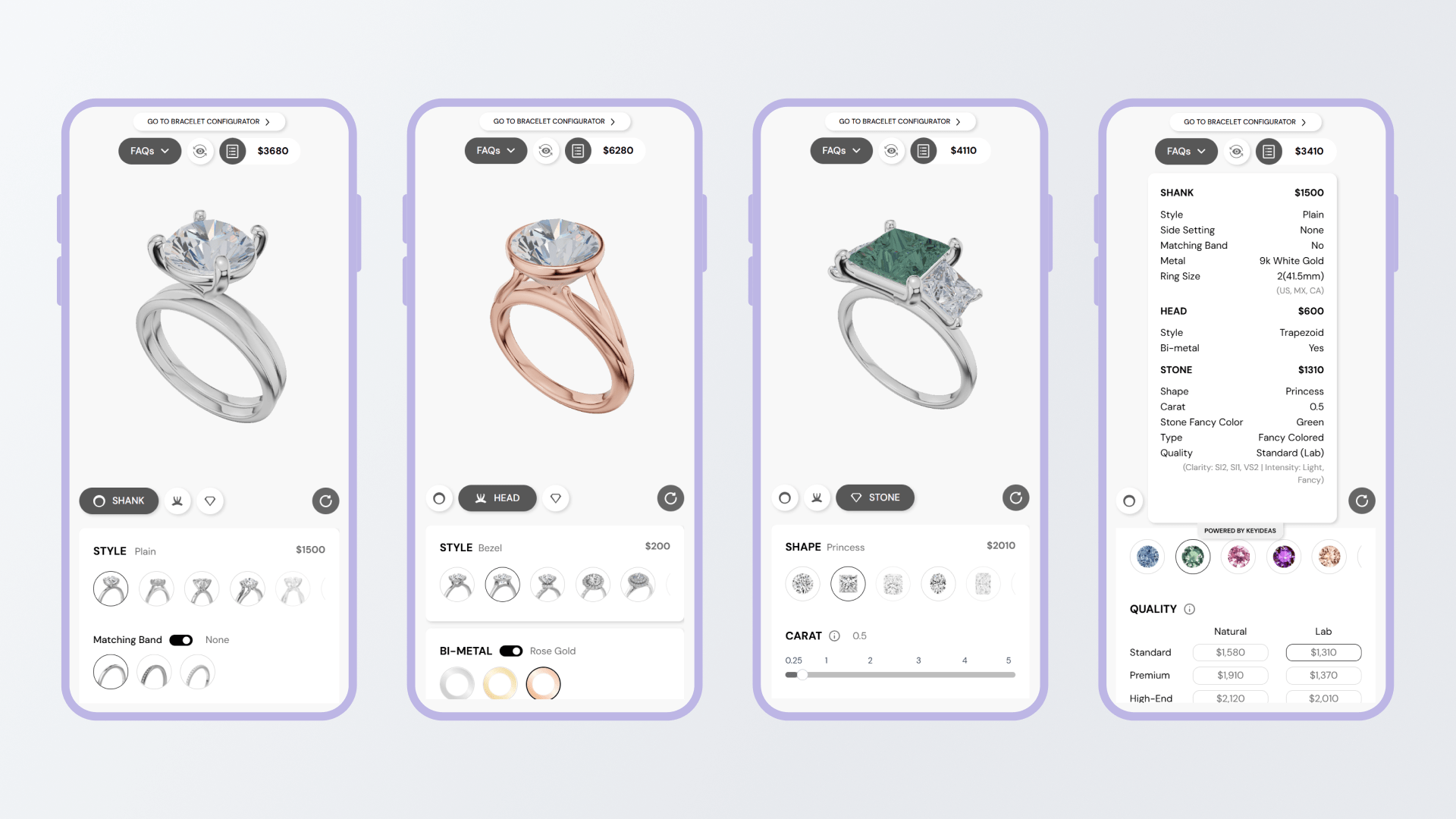
Designed for mobile as the starting point: Built the experience around small screens first, reflecting how most users begin exploring engagement rings.
Comfortable one-hand use: Placed key steps within easy thumb reach so users could move through the process naturally without strain.
Stable focus on the product: Kept the 3D ring model in a consistent frame to avoid distraction and help users stay oriented while making changes.
Seamless device switching: Ensured users could start casually on mobile and continue later on desktop without relearning the flow or losing progress.
Extending the System to Bracelet & Necklace
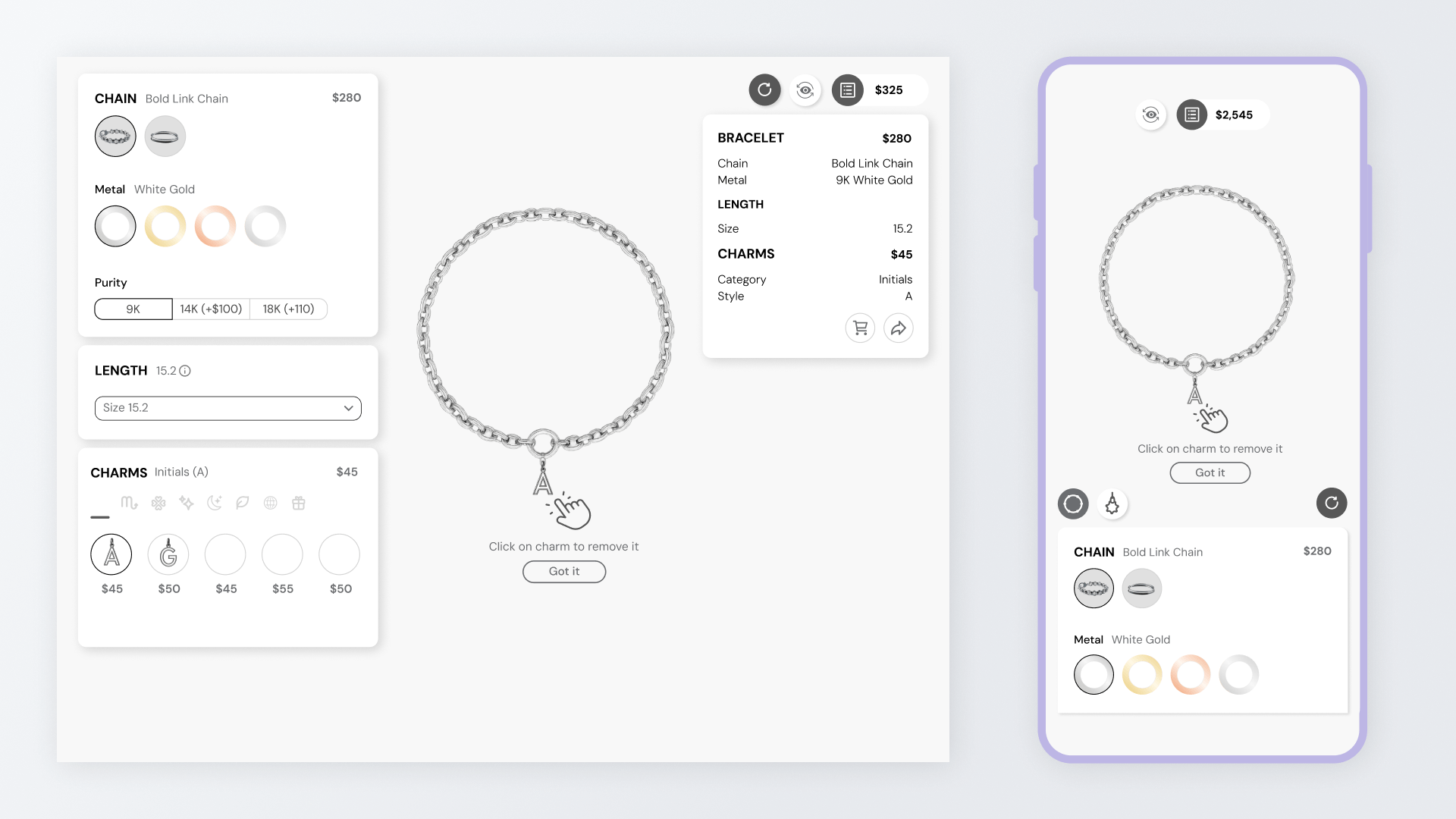
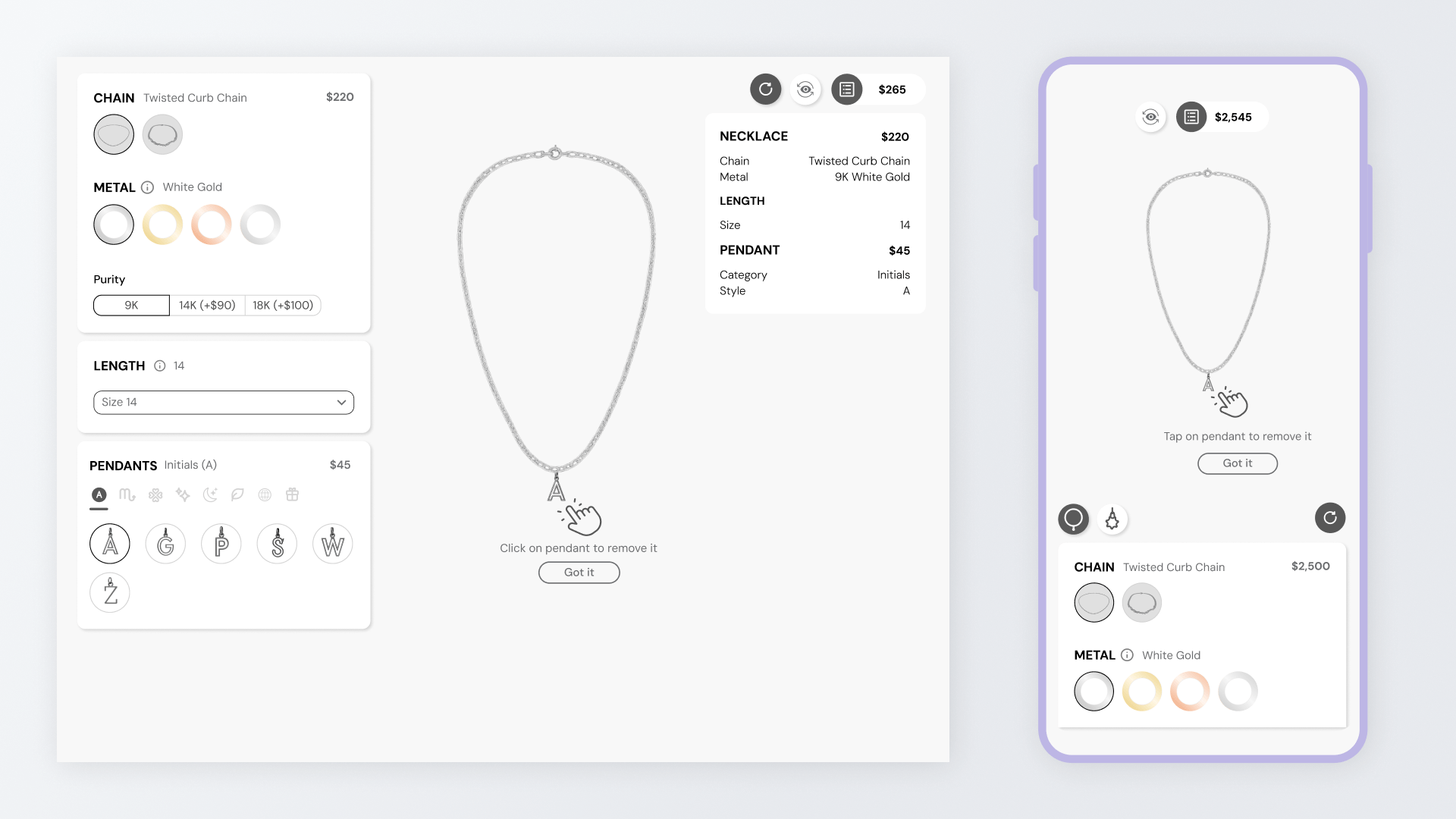
Expanded the product scope: Extended the existing ring builder to support bracelets and necklaces, allowing us to serve brands beyond just rings.
Minimal changes required: Reused the same interaction flow and structure, with only small edits, proving the original design was robust and adaptable.
Reached a wider audience: Enabled businesses selling bracelets and necklaces to use the same tool, increasing the potential customer base.
Supported business growth: By covering more jewelry categories, the platform became more valuable commercially to support revenue growth.
Admin Experience for Jewelers
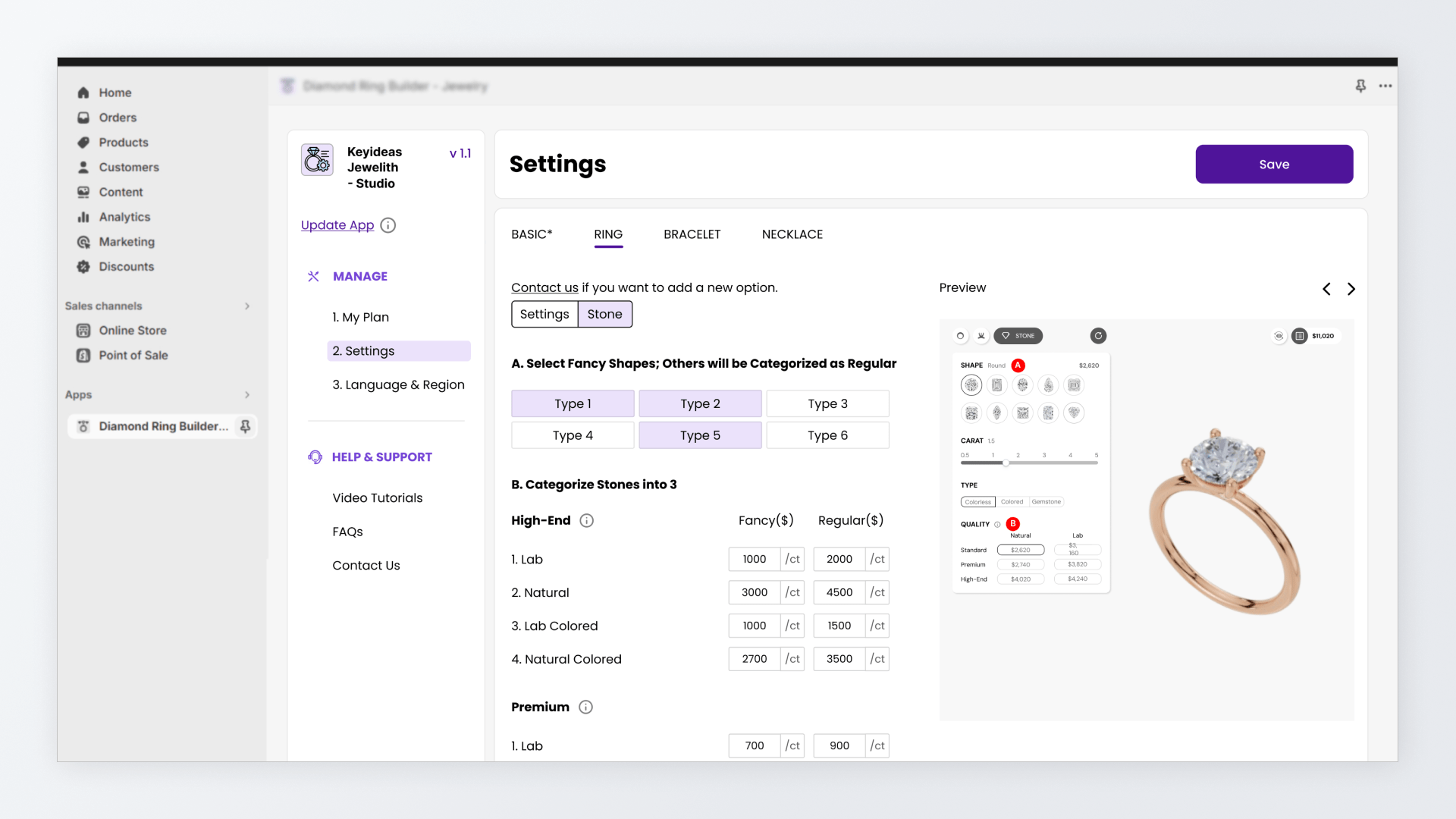
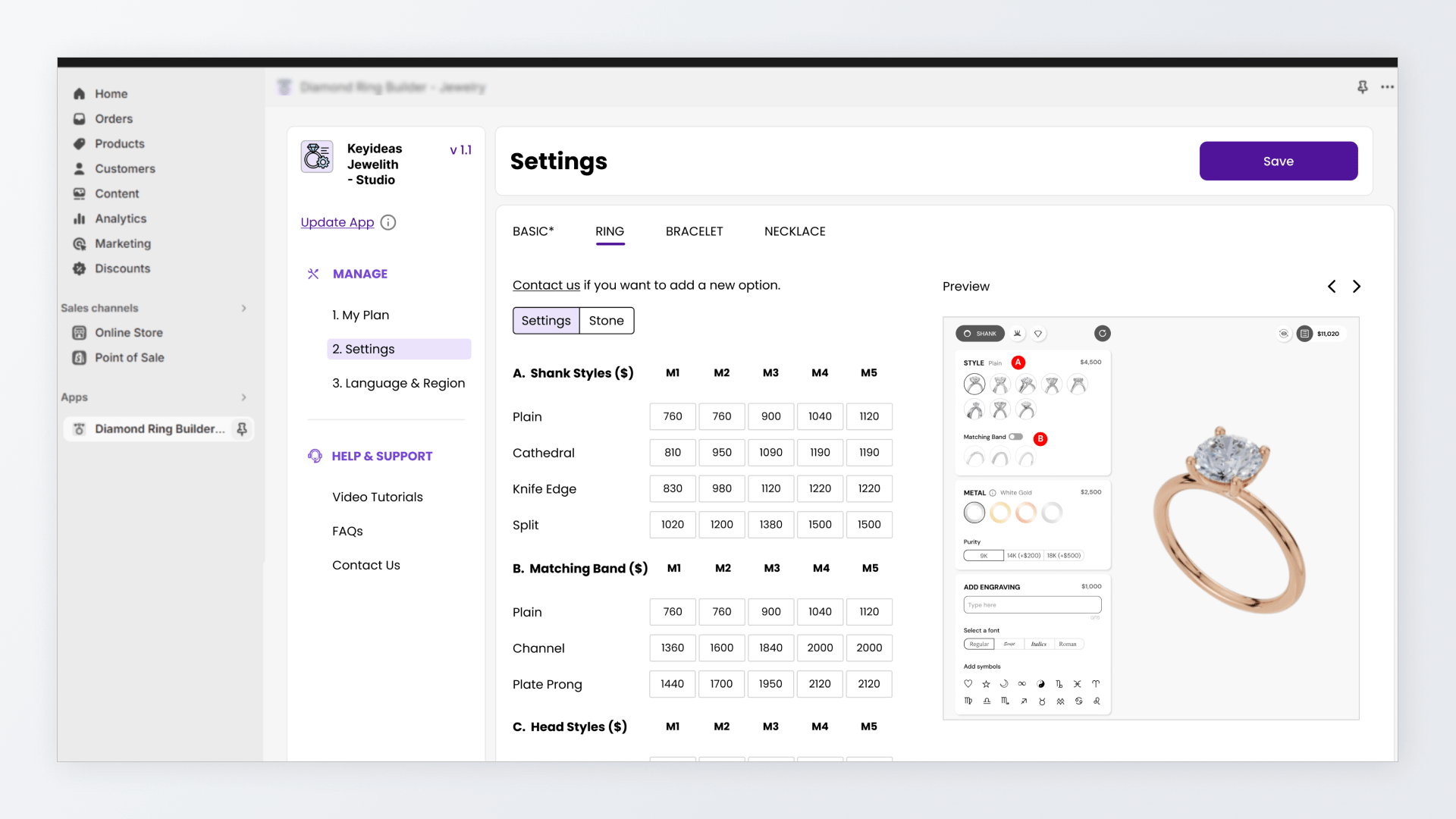
Simplified complex management: Converted 60+ configuration and management options into a clear and very simple flow.
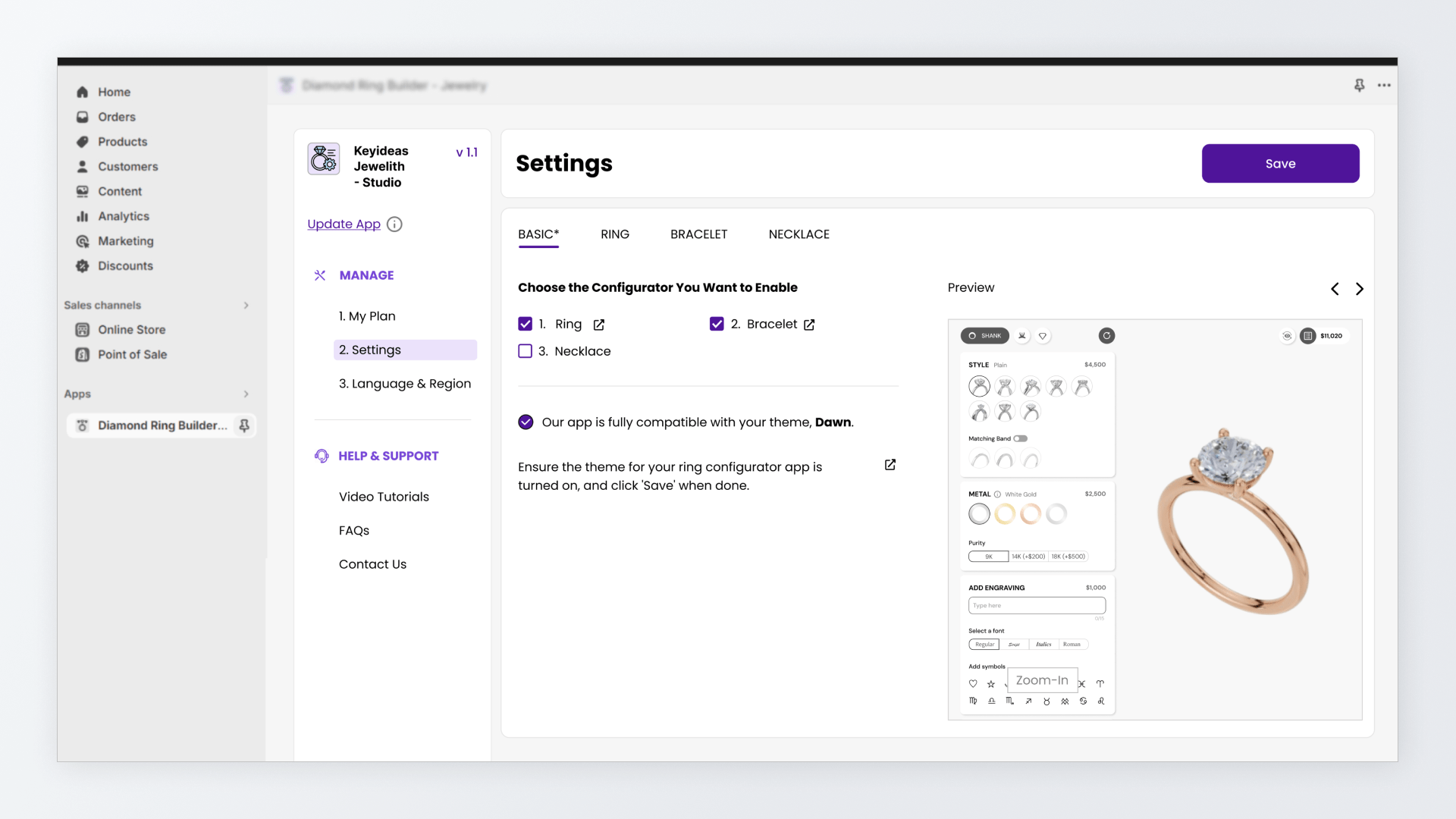
Designed for non-technical store owners: Built an admin dashboard inside that lets them manage complex configurations without technical knowledge.
Full control over what gets sold: Allowed admins to enable/disable configurators, product categories, and control how they appear in front-end.
Clear pricing and option management: Made it easy to adjust prices across styles, metals, purity, and quality levels without losing context.
Visual confirmation while editing: Showed a clear image of the exact part being edited, reducing mistakes to see impact of their changes.
3D Modeling Workflow and Asset Pipeline
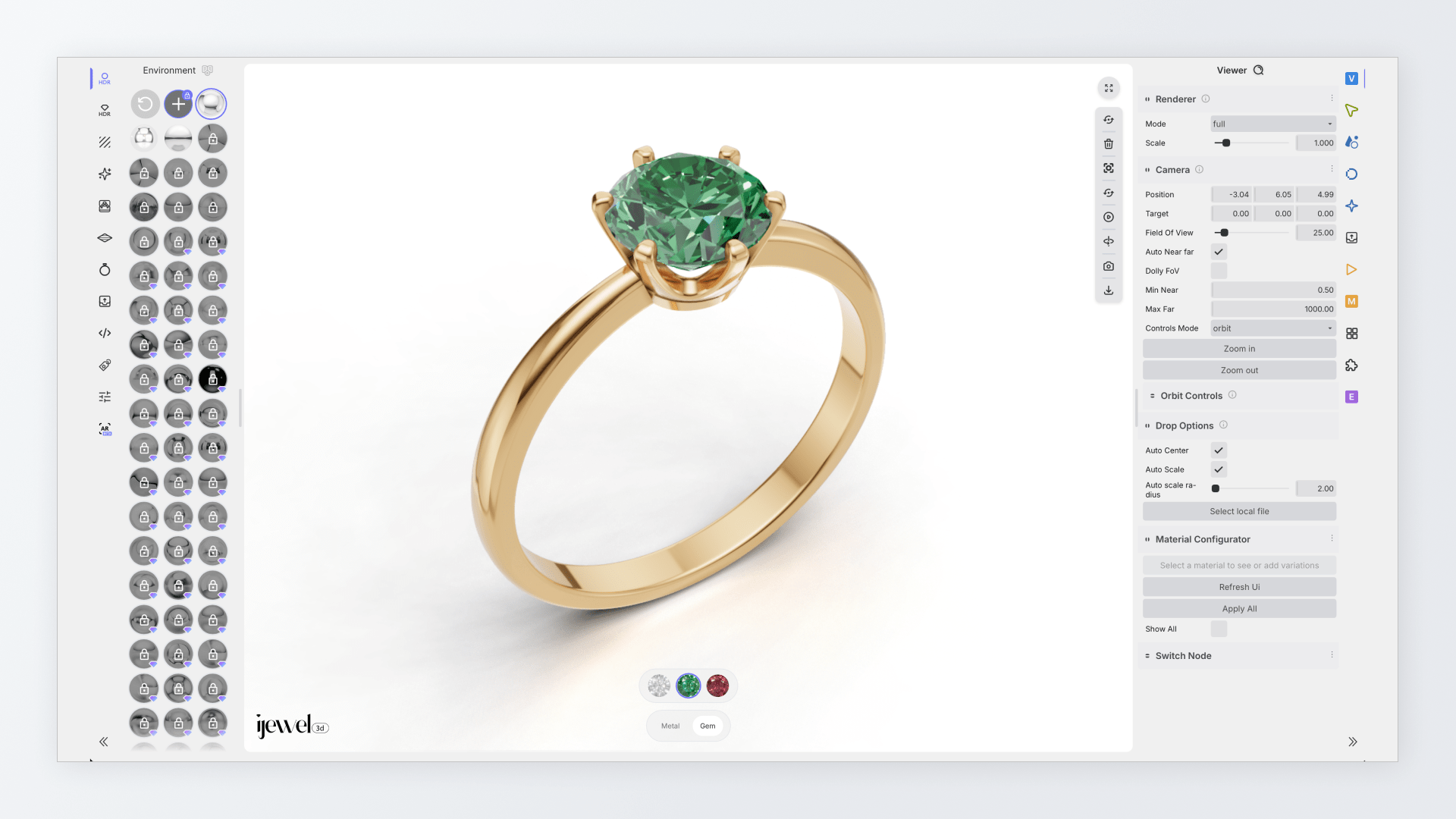
Ensured realistic and fast visuals: Built a 3D asset workflow that balanced high visual quality with fast loading.
Structured models for configuration: Broke each ring into clear parts so they could be mixed, matched, and updated accurately inside the builder.
Handled end-to-end asset preparation: Took responsibility for materials, lighting, and optimization to make sure models worked reliably on the web.
Created clear standards for scale: Defined a repeatable process so additional modelers could contribute assets without breaking consistency.
Improved team efficiency: Coordinated closely with developers to deliver ready-to-use assets, reducing rework and speeding up implementation.
The Impact
Increased purchase intent and reduced guesswork: Real-time pricing and 3D provide users with the clarity needed to make confident buying decisions.
Higher average order values: The immersive 3D experience and guided design flow specifically support higher sales for premium items.
Operational independence for brands: Owners can now manage and update complex product configurations directly without the ongoing cost.
Seamless e-commerce scalability: The tool integrates directly with any online e-commerce stores and use their own unique theme.
Broadened customer appeal: The interface transforms a complex technical process into a simple, guided experience.